12
DemoSample company and data, reset every night. Demo: messages are simulated, nothing is actually sent.Exit demo
Deborah Benoit, 603 North Irwin Street, Sulphur
Irrigation Controller · Hunter Hydrawise HPC
Manual and Files
The unit's manual and photos, for the office and the crew in Route.MoreLess
- What It Does
- Shows the maker's manual when the make and model are known, plus any photos or PDF you add.
- What It Changes
- A known model's manual is saved once for everyone and opens right here and in Route. Photos also show in the property's Photos.
- How to Use
- Save the make and model, for example a Rachio 3 controller.
- Click Add Photo for the controller door or valve boxes.
- Click Add Manual PDF if no manual shows.
ManualLooking on the maker's site. Add the PDF below if you have it.
Rachio Not linked
Live status, schedules, rain delay and zone controls for a linked Rachio.MoreLess
- What It Does
- Link a controller visible to your key, refresh its zones onto the Zone Card (names only), and start, stop or set rain delay when you have Control Rachio Controllers.
- What It Changes
- Start, Stop and Rain Delay change the real controller right away, and each one is logged.
- How to Use
- Customer shares Complete Access (or your Pro business code).
- Pick the controller and press Link.
- Team Leaders and Admin can Start Zone, Stop or Rain Delay.
Not marked as a Rachio. Set Make to Rachio, or link a controller below.
Link ControllerPick a controller visible to your key
Customer shares Complete Access (or your Pro business code) so the controller appears here.
Hydrawise Watering
Status, zones and next run for a linked Hydrawise controller.MoreLess
- What It Does
- Link a controller from the saved Hydrawise key, see each zone's next run, Run a zone, Stop, Refresh and Unlink. Unlink erases what we kept. A controller Hydrawise has no serial number for shows Controller Not Ready until setup is finished in the Hydrawise app.
- How to Use
- Hydrawise follows Rachio's on or off; change it in Settings > Hydrawise.
- Settings > Hydrawise: paste the key from the Hydrawise app (Account Details).
- Open the irrigation controller on the property, Link Controller, pick it.
- Status refreshes every few minutes on its own; Hydrawise allows only a few checks every 5 minutes. If something keeps failing, use Report a Bug.
Watering Front Lawn12 min leftChecked Oct 24, 3:16 AM
Zones 6
 1RunningFront LawnNow2Back LawnTomorrow
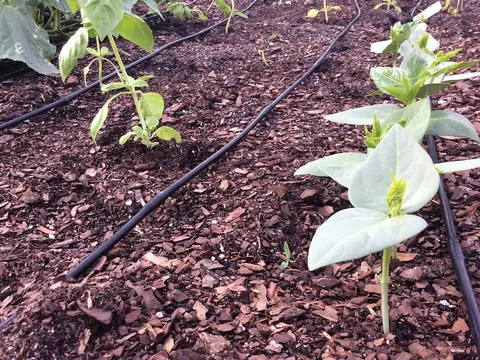 3Side BedTomorrow
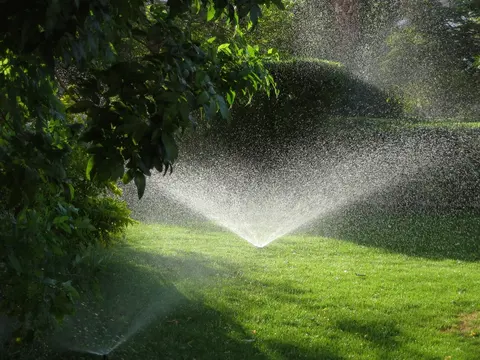 4ParkwayTomorrow5Drip BedsTomorrow
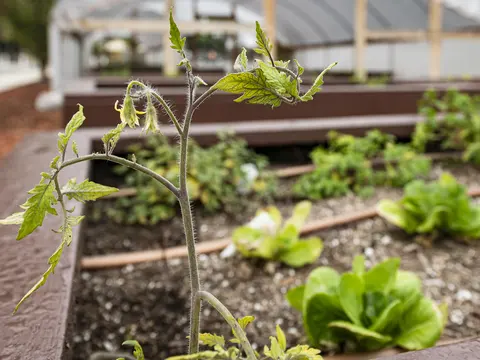 6GardenTomorrow
Linked ControllerGarage HPC
Zone Details6 Zones · Waters, Heads, Run, Notes
#NameWatersHeadsRunNotes
1
2
3
4
5
6
Irrigation Controller
Make and ModelHunter Hydrawise HPC
SerialHPC4A71E2D
Zones6
InstalledMay 24, 2026
LocationGarage wall
NotesDemo controller. Not a real Hunter device.